
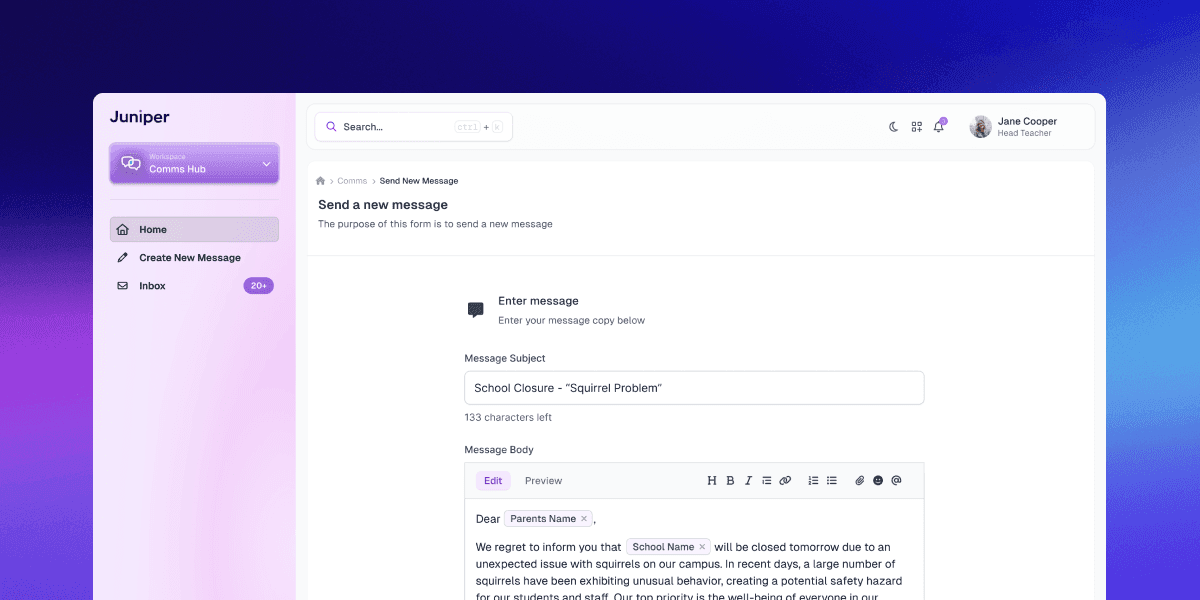
Context
In the existing landscape of EdTech offerings, schools were juggling multiple platforms like ParentMail and CallParents to communicate with parents and guardians. These tools, essential in daily operation and used for everything from routine updates to urgent alerts, were disjoined from the broader daily workflows for teachers. This led to great inefficiencies and confusion and was not just a minor inconvenience; it represented a significant barrier to effective communication, particularly in time-sensitive or high-pressure situations.
Problem
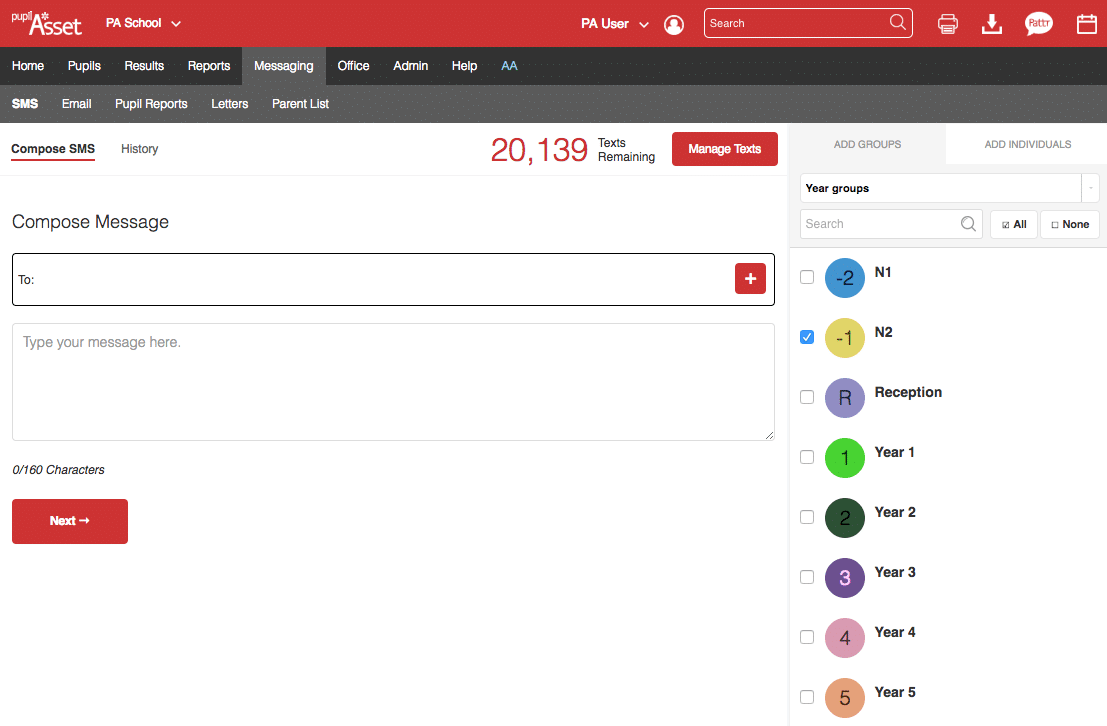
Example of PupilAsset's (Juniper product) Send Message screen
Juniper's existing offering for communication was scattered across various products -- causing confusion among users and operational issues for us, especially in our support teams. Teachers and administrators faced a cumbersome process to send a simple message, compounded in urgency during urgent situations.
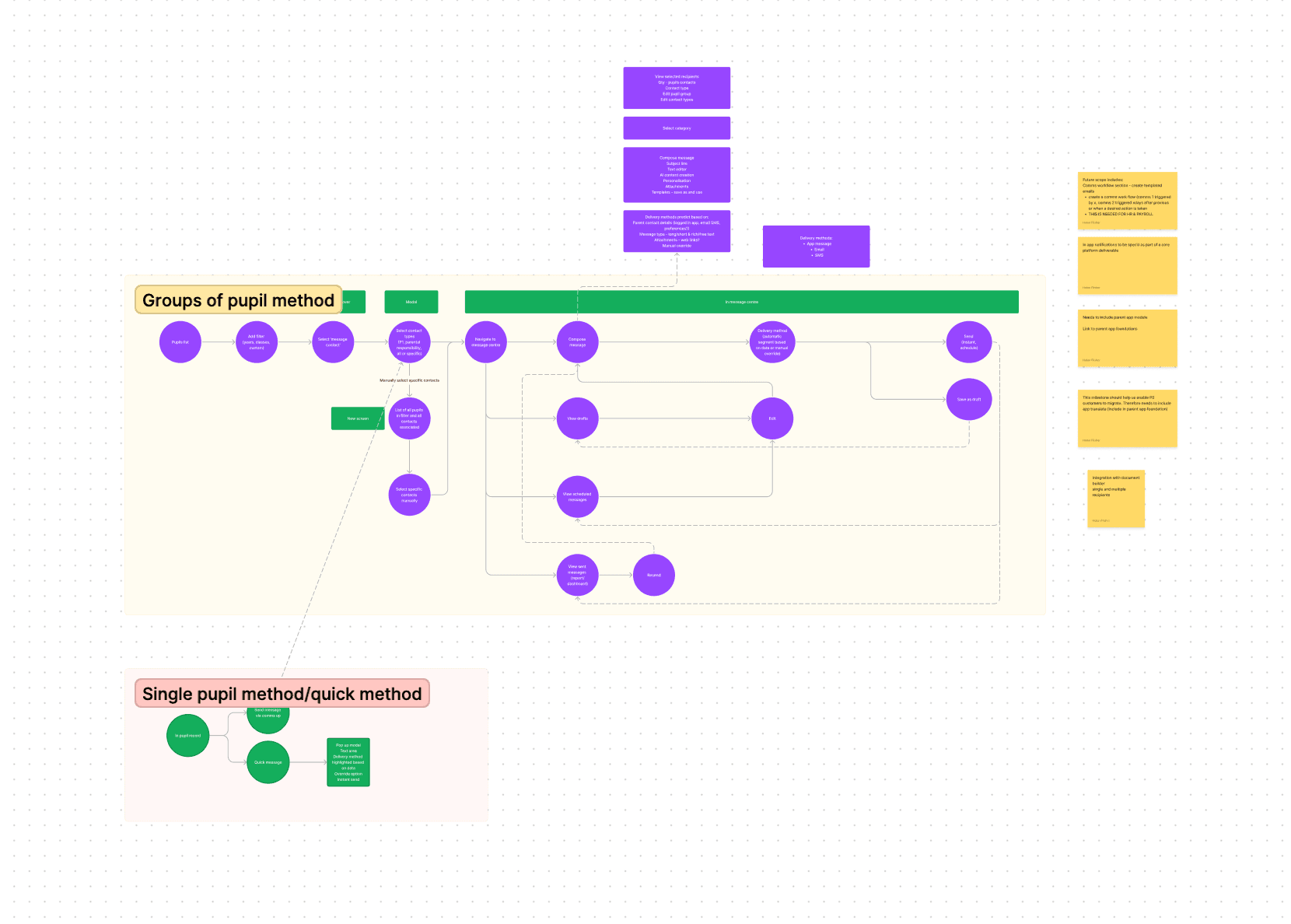
A FigJam ideation session for the new CommsHub
We quickly recognised the need for a streamlined, efficient approach. The need for an integrated communication tool was evident—one that worked across all our products. Initial user research with our Juniper Discovery focus groups revealed that the average time to send a critical update was 11 minutes, and there was a 30% chance of selecting an incorrect communication method due to stress.
Solution
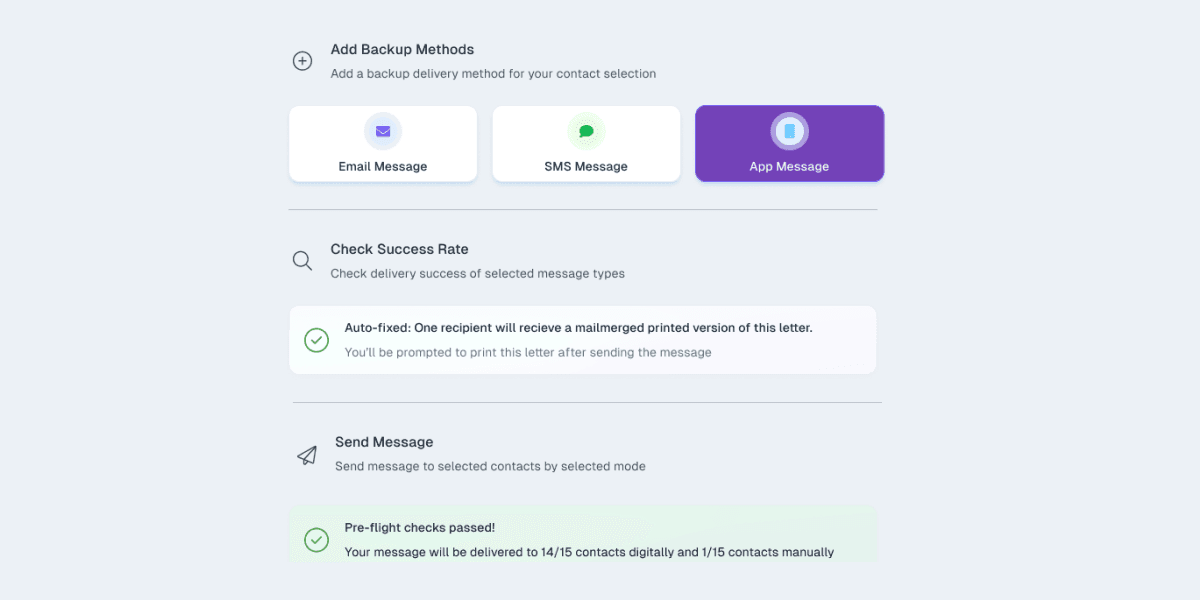
CommsHub Interface Elements
In late 2022, we decided to end the life of several of these legacy products and redevelop them into one new platform. As part of this, we realised we had the opportunity to create a new CommsHub product for Juniper.
Our vision for CommsHub was a unified, standalone offering with deep integration across Juniper's suite, enabling seamless communication without workflow disruption.
We worked closely with our product and development partners to create an intuitive and easy-to-navigate user interface. We also focused on incorporating features allowing users to customise their communication preferences and settings to suit their needs.
Our inclusive design mindset led to the development of features like auto-print letters for tech-limited parents and guardians and multi-language support, addressing the diverse needs of our school communities.
Details
Contact Selector
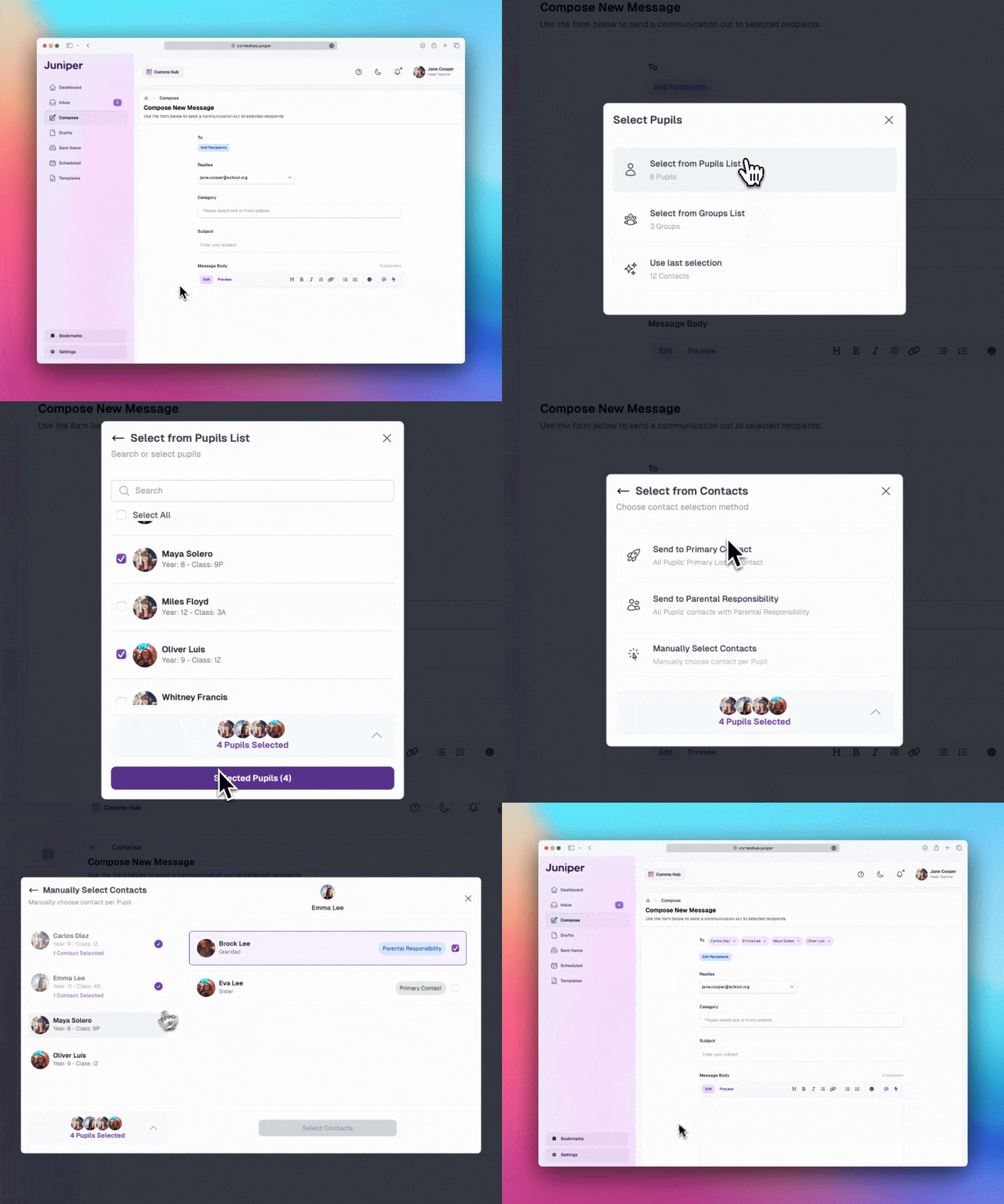
I designed the contact selector to solve some of the above challenges. We wanted to unlock fast and powerful user workflows by speeding up the initial setup flow for each message they send.
According to our usability tests, this feature allowed users to quickly recall previous selections or utilise common patterns, reducing setup time by an average of 40%.
Suggested Send Method

Example of CommsHub Smart Method Suggestions
With Suggested Send, we aimed to reduce the cognitive burden and decision paralysis associated with choosing a message format. By looking at the data for each child, the system could determine the preferred contact method and then seamlessly auto-suggest that to the teacher.
Smart Tags
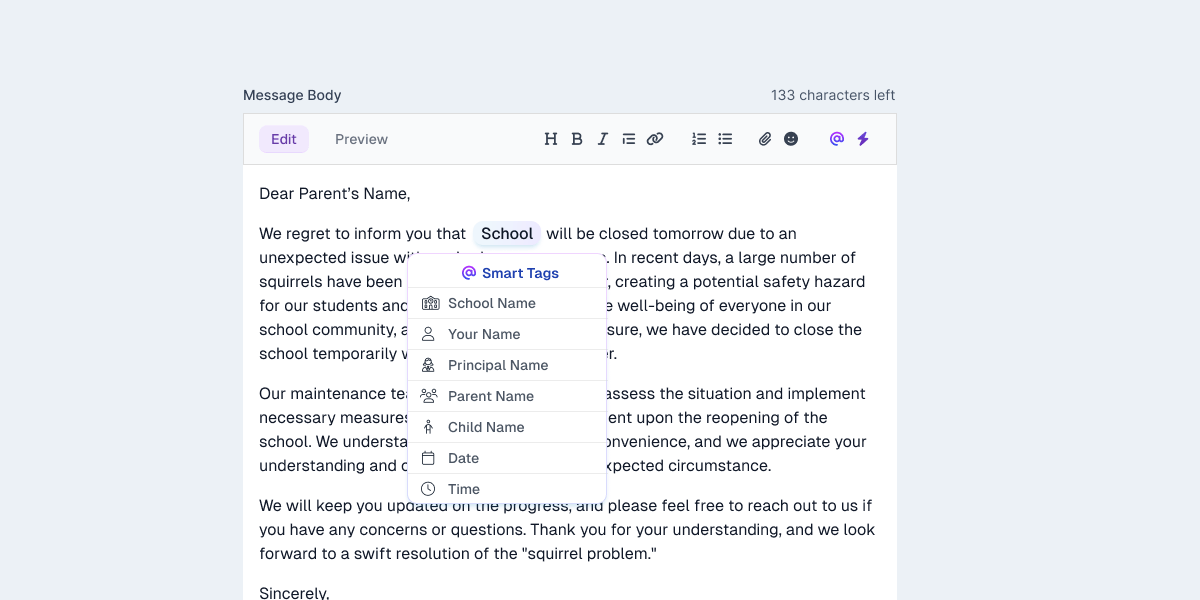
Smart Tag UI
This was our version of the mail merge. We wanted to make this reasonably complex feature as frictionless as possible, with users just having to select the text, hit a button and then select the 'Smart Tag' they wanted to use. We handled all the complex logic behind the scenes for them.