I led the Product Design team at Impero Software from 2018 to 2021. During that time, I worked on a wide variety of projects at the company.
I have collected an assortment of this work below.
Impero Backdrop
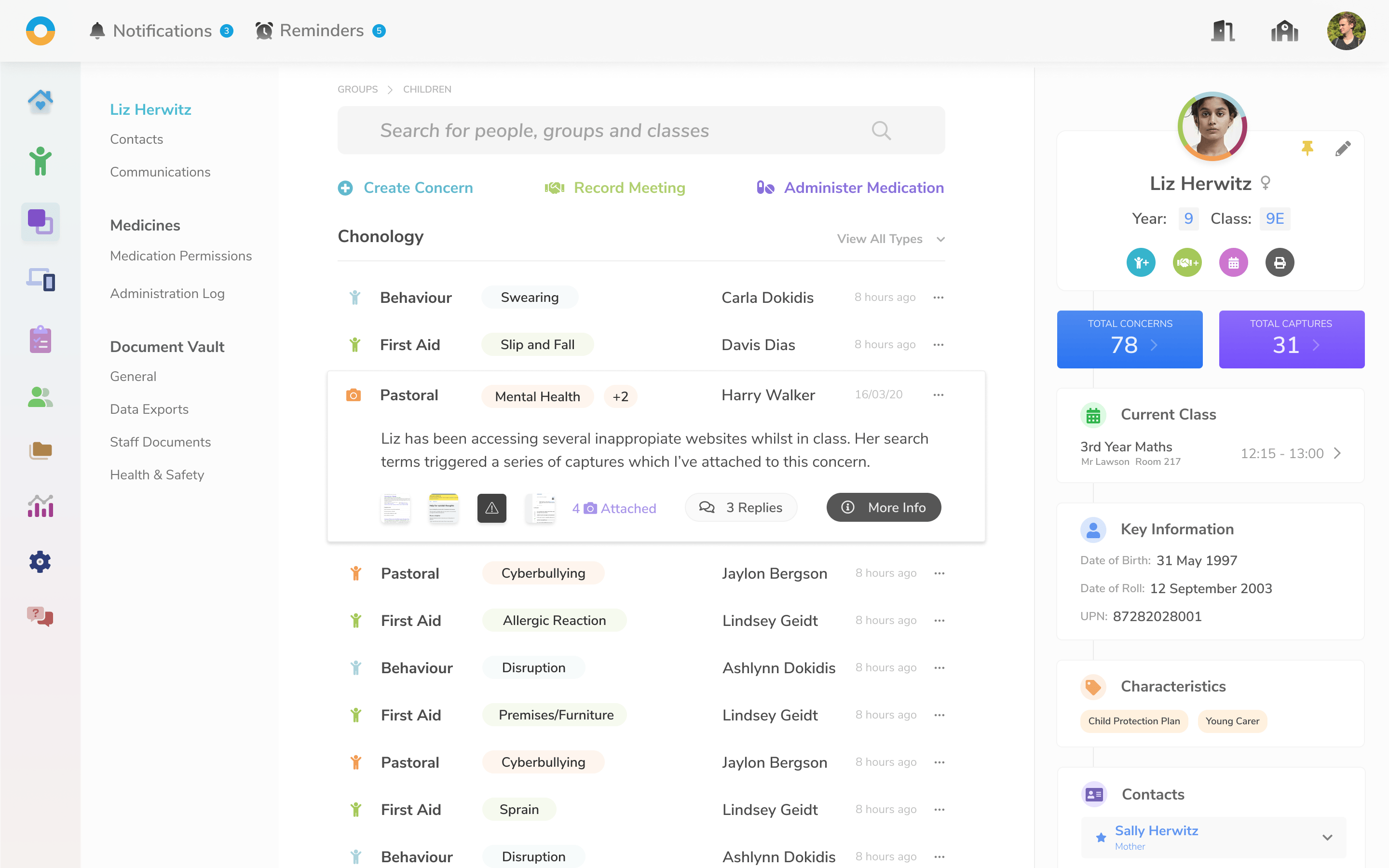
Impero Backdrop was the compan’ core product. This, combined with Impero Wellbeing, allowed schools to form a holistic image of a chil’ attainment and safety.
The core mechanism for this was the ability of a school to log "concerns" against a pupil. These concerns ranged in category from Health and safety to Child Protection to Pastoral.

A chil’ chronology, showing all of their logged Concerns
The form for logging concer’ against a child or group of children
Impero Classroom
Capture Manager
Another core aspect of this holistic view was the ability for teachers to track what content students were viewing on school devices. When a pupil viewed something deemed inappropriate by the school or off-topic, the system could "capture" a snapshot of the browsing activity.
These "captures" would then be presented to faculty staff for review.
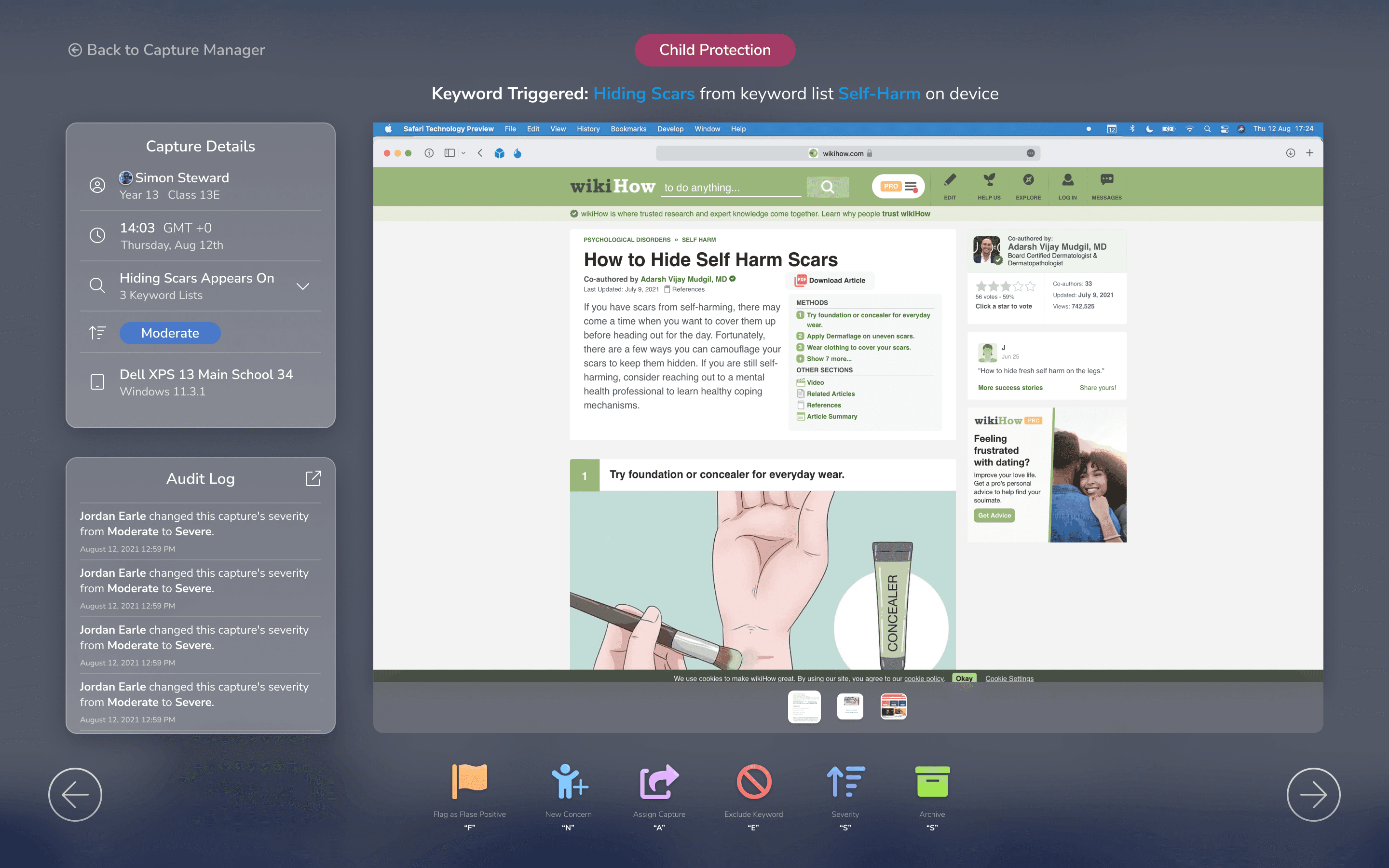
Full screen Capture Review

Capture manager grid view, showing a grid of recent captures
Impero MDM
Another project we explored, especially with the rise of bring-your-own-device school policies, was implementing a bespoke MDM solution.
This would allow schools to set device policies on school-owned devices, even if they were brought off the premises.
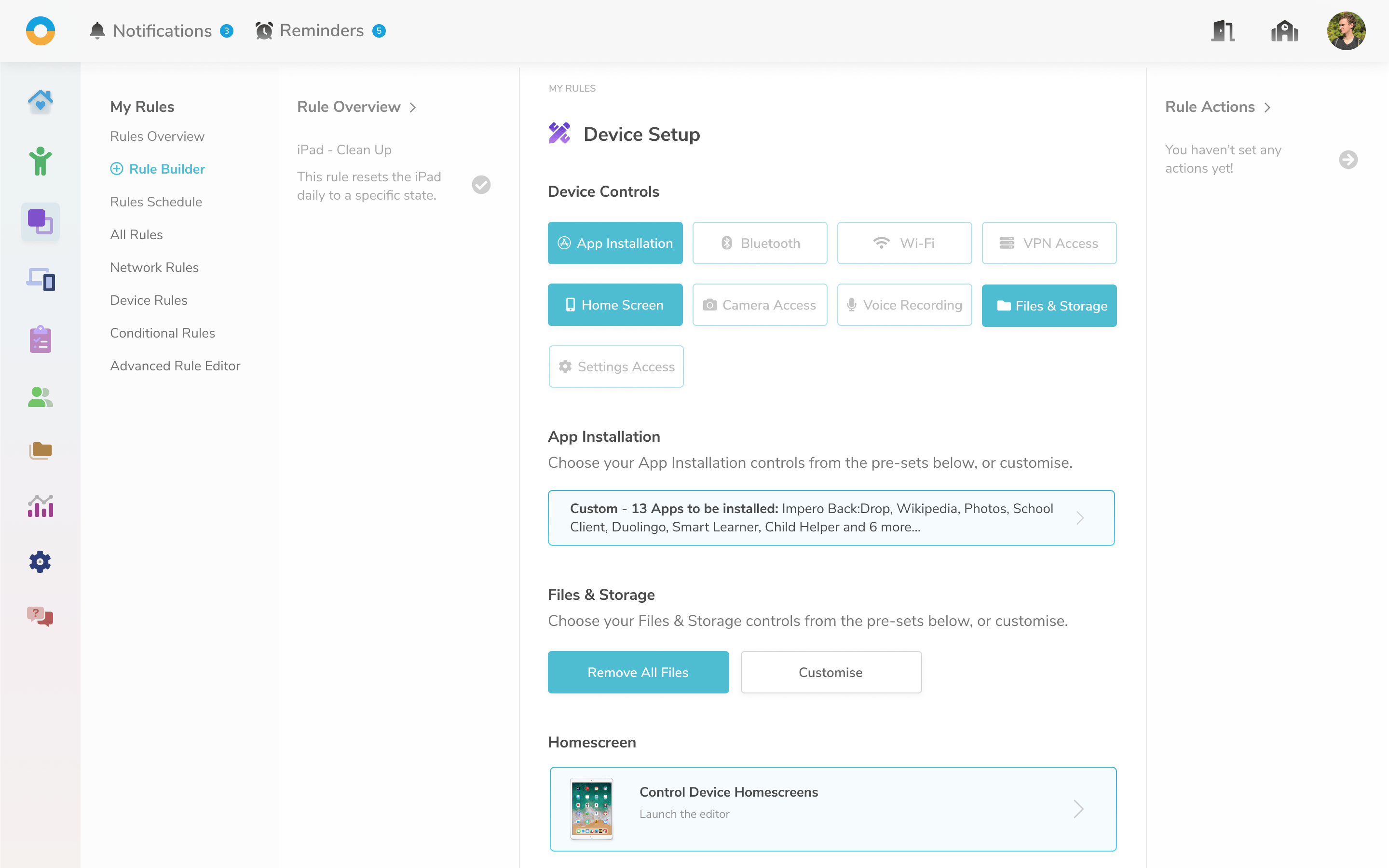
MDM Rule Builder

MDM Rule Builder - Device Setup

MDM Rule Builder - Conditional Policies
Impero Classroom
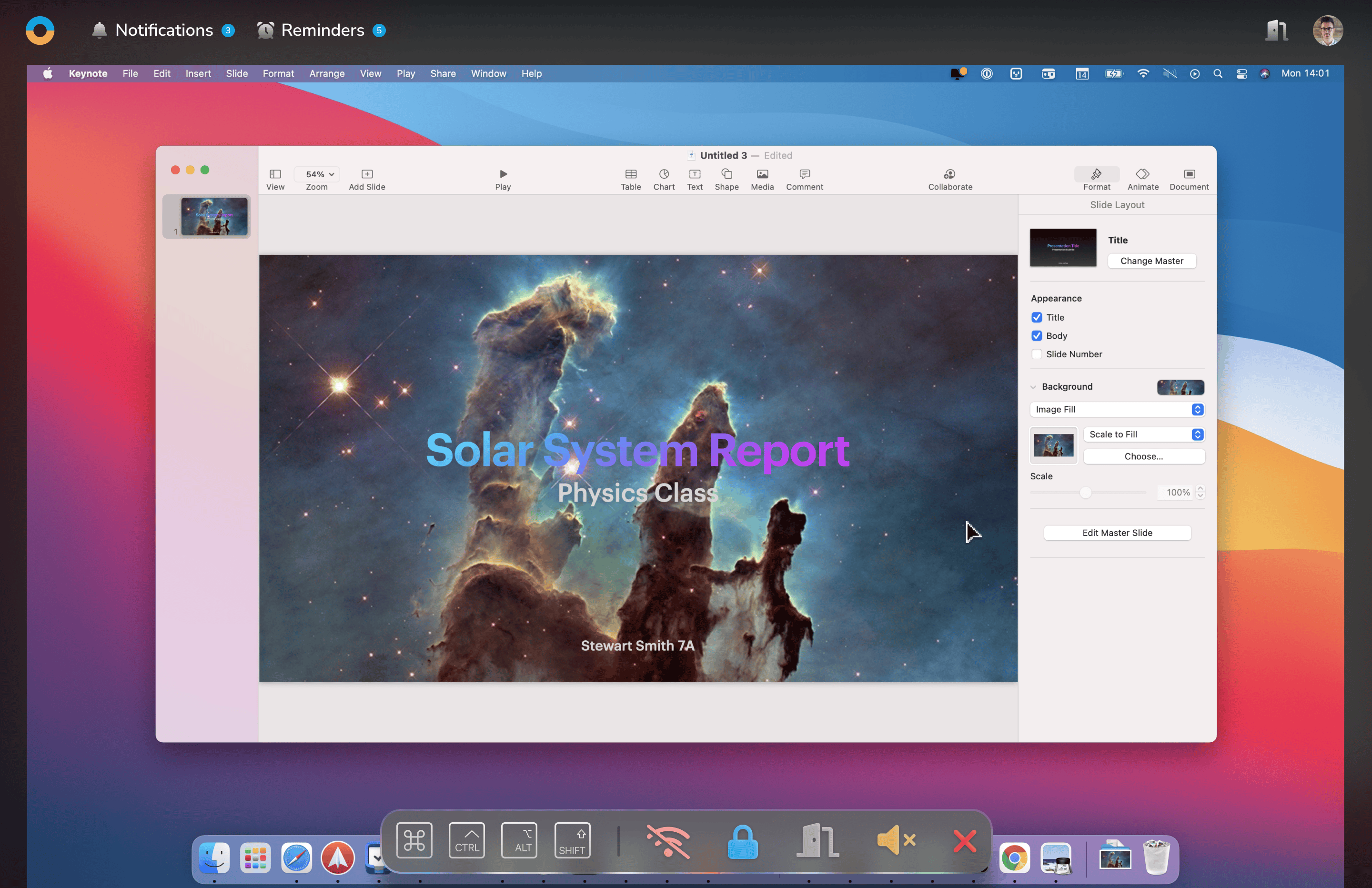
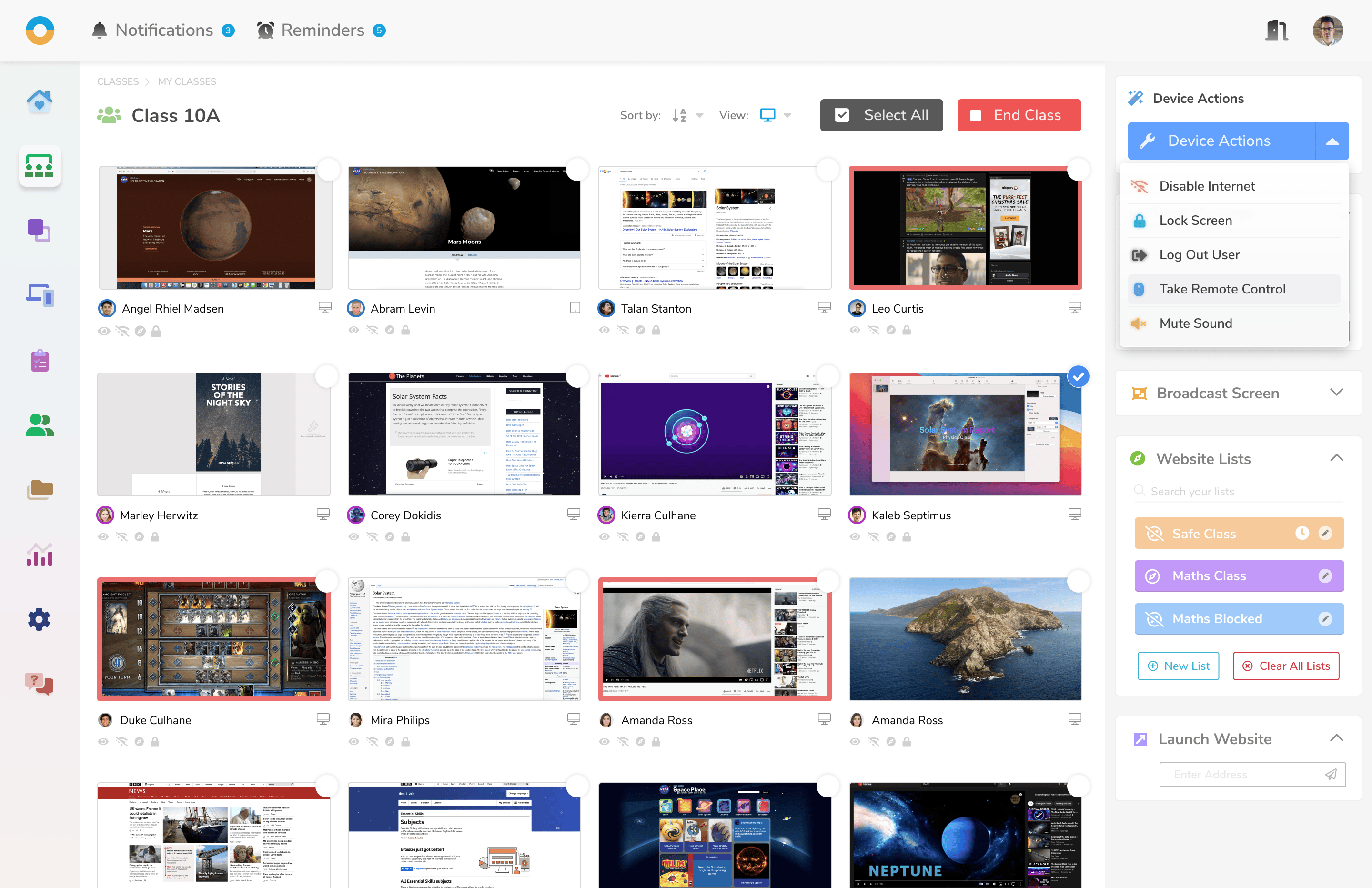
Like Captures, the Classroom interface allowed teachers to help keep students on task. It allowed teachers to view student screens live, with controls like Share Screen, Freeze Screen, or Take Control.
Main grid of student devices in Impero Classroom
Individual Device View
Impero Insights
With the data being processed by the system, it was essential to offer comprehensive reporting to teachers and school administrators alike.
Impero Insights aimed to offer a detailed analysis across various school functions.
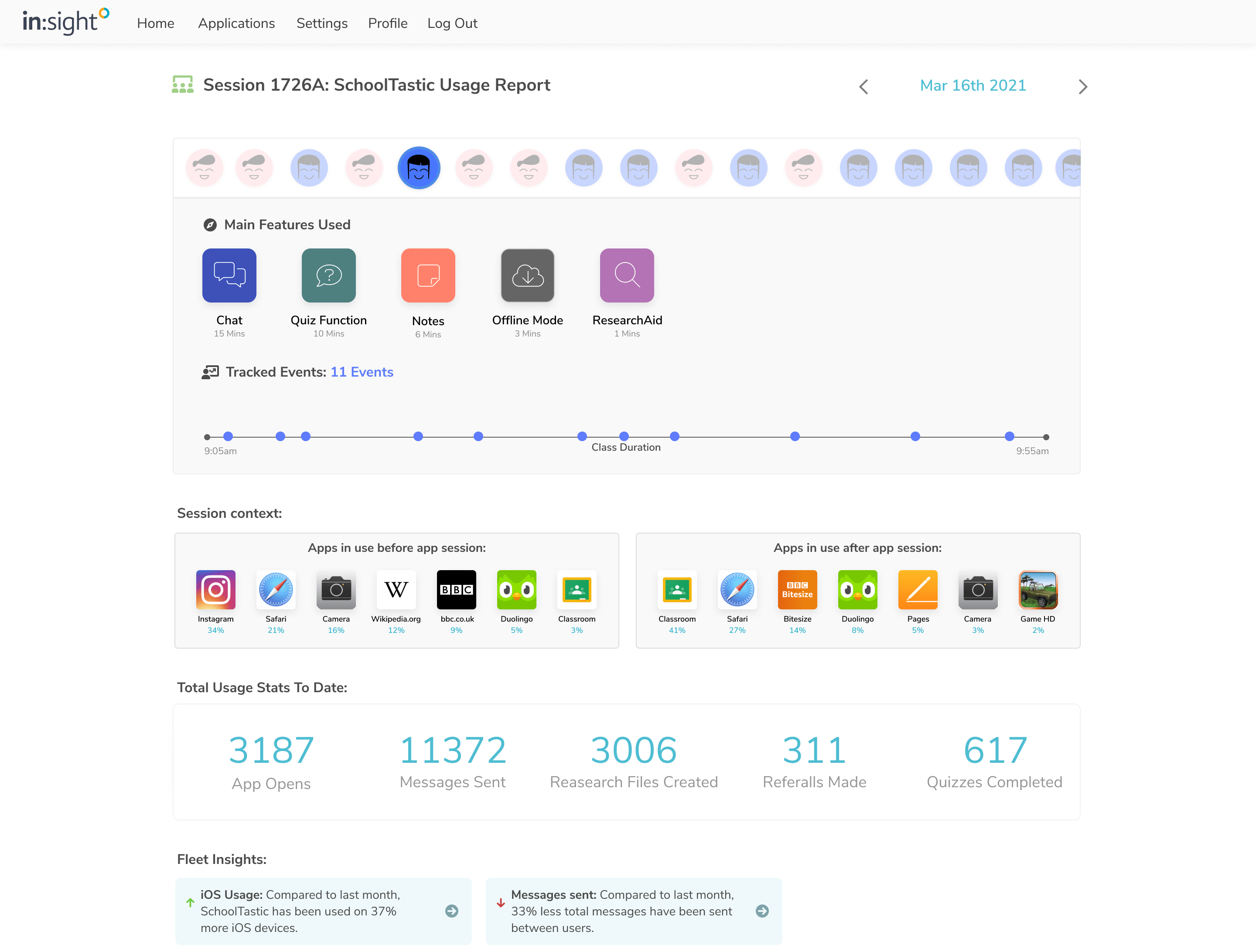
Integration report

Group Time on Task Report
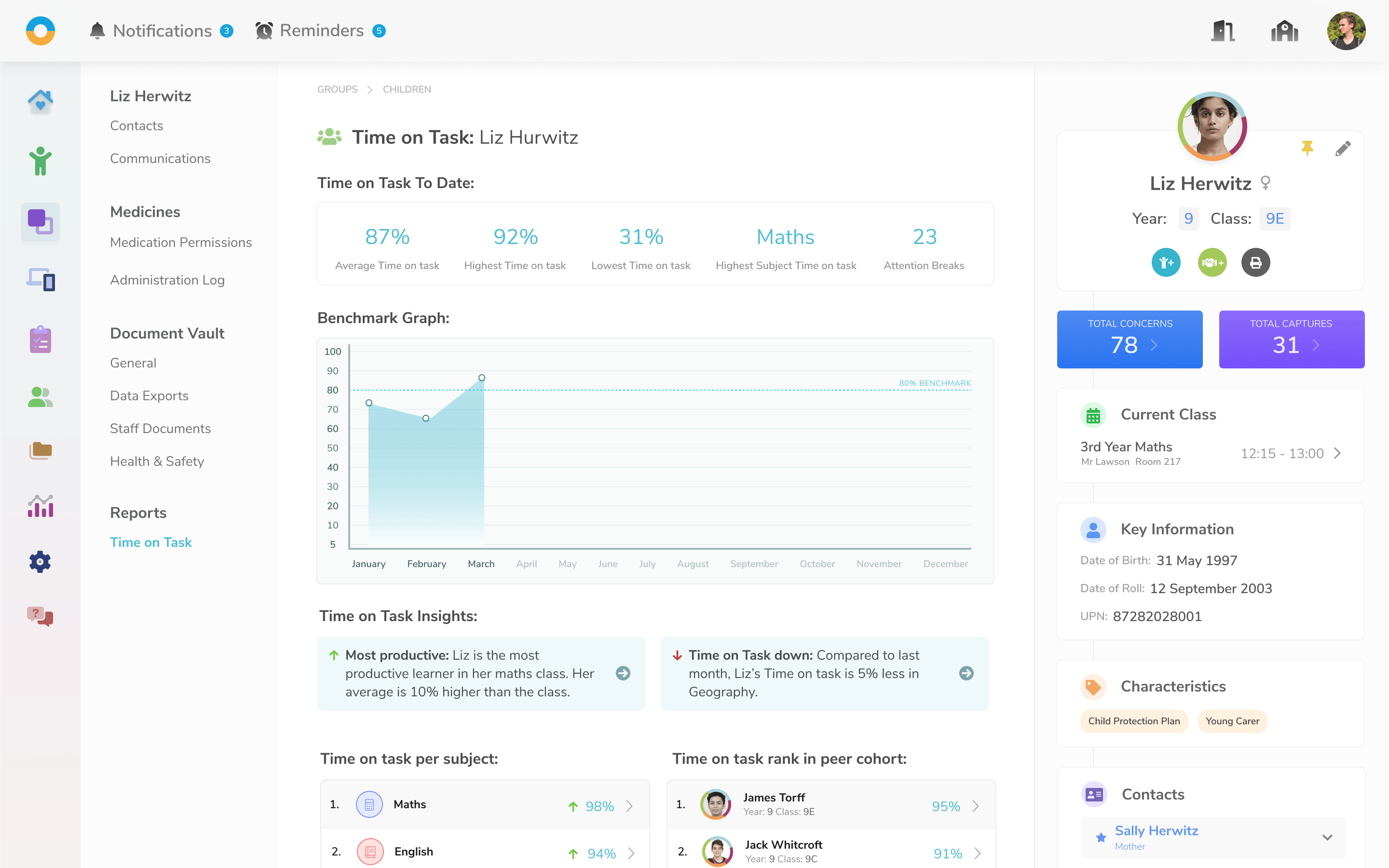
Individual Time on Task report
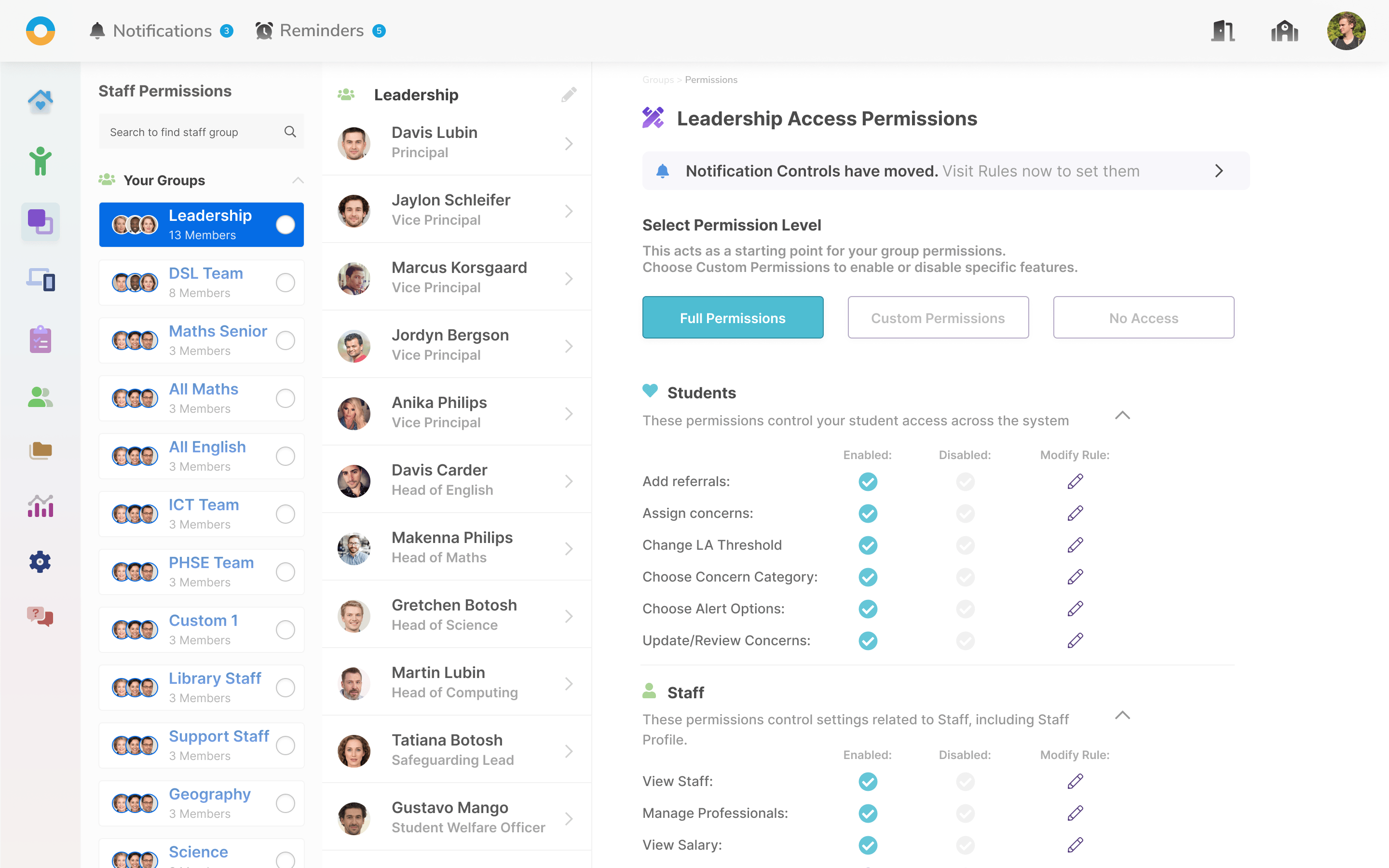
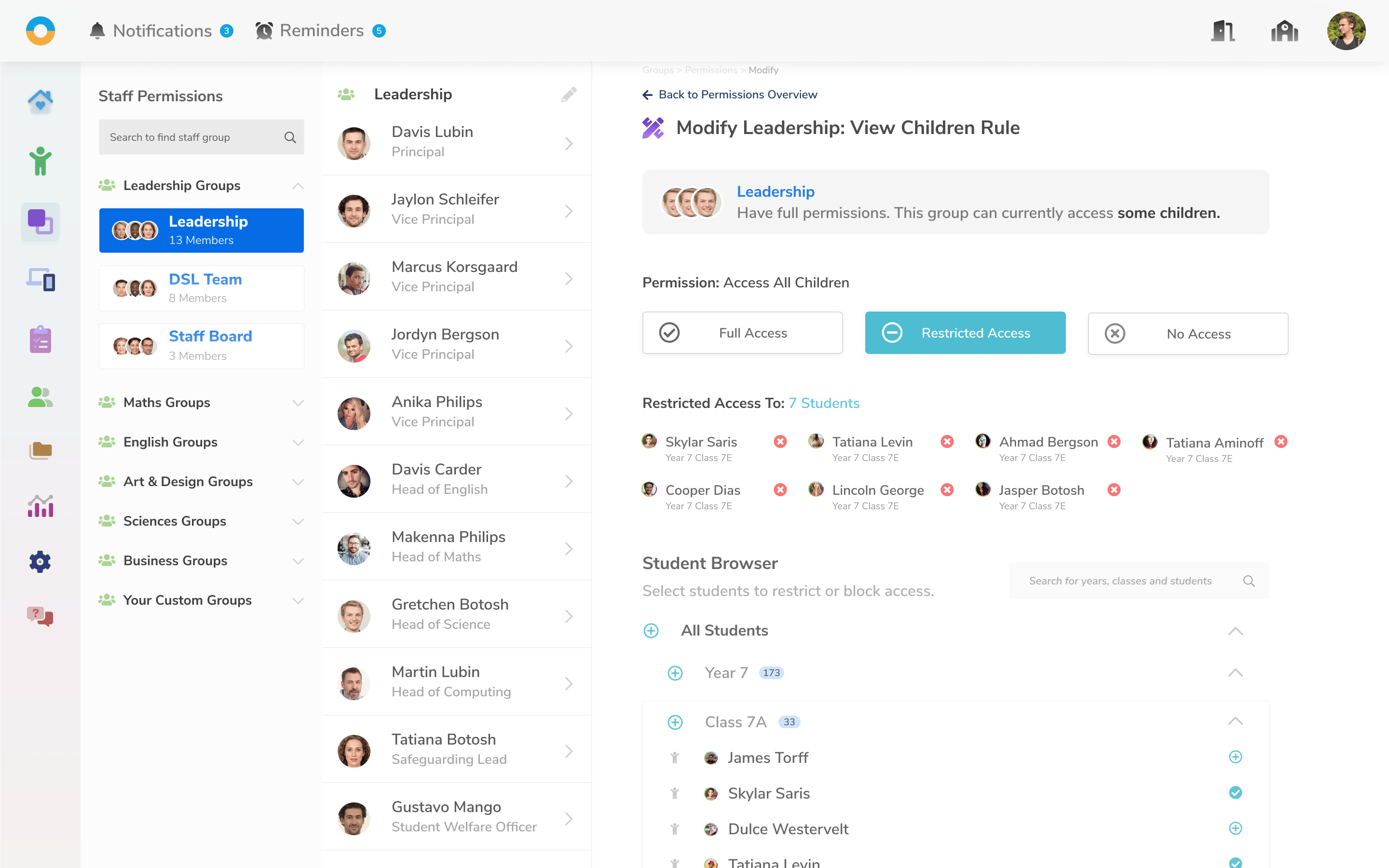
Impero Permissions
Similar to the need for comprehensive reporting, schools required very granular control over permissions.
A highly capable Permissions Manager was designed, allowing schools to take control of their permissions in the system.